.png?width=189&height=28&name=Multihub%20Logo%20Color%20(1).png)
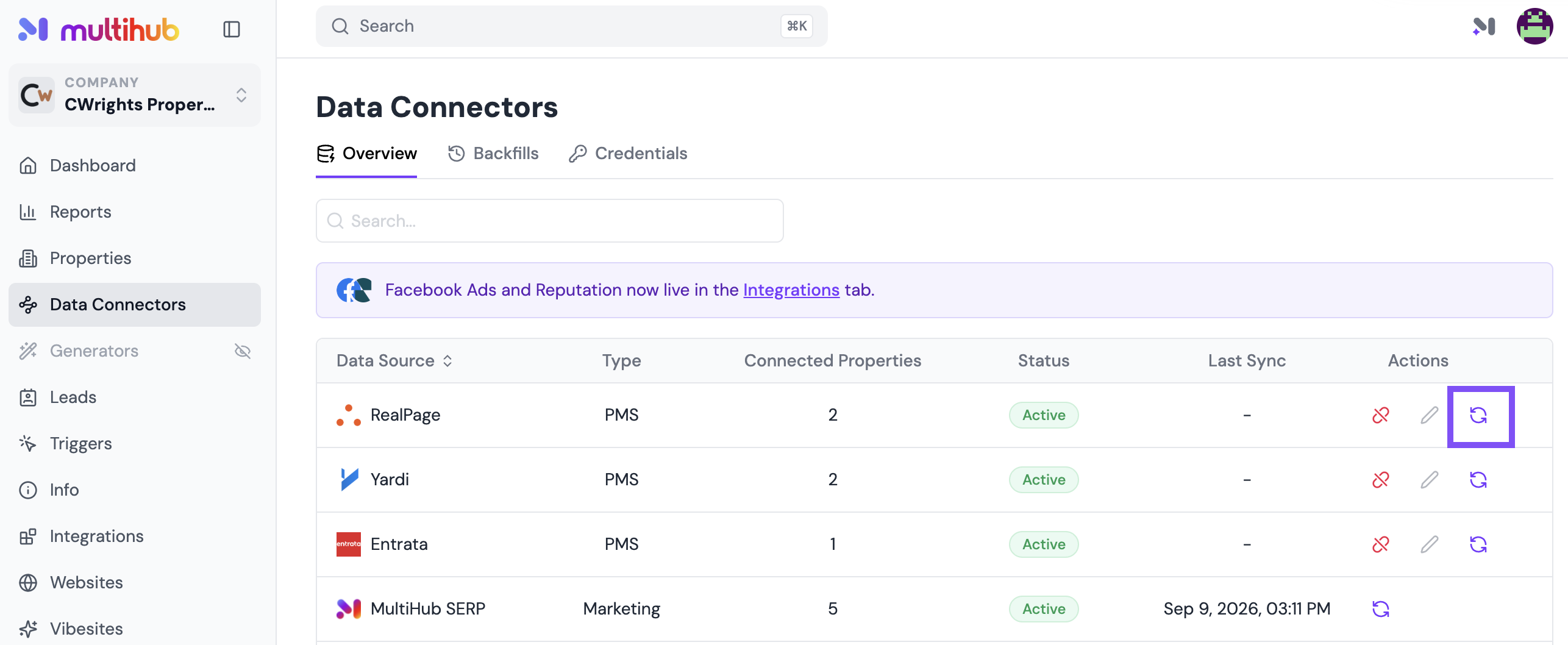
MultiHub syncs data from your Property Management System (PMS) — including unit availability, pricing, and resident information — once every 24 hours. If you need your data updated sooner, you can manually trigger a sync at any time from the Data Connectors menu.
If you've recently made updates in your PMS and don't see them reflected in MultiHub yet, no worries — you're right on schedule given the 24-hour automatic sync cycle.
How to manually sync your PMS data
- In MultiHub, navigate to Data Connectors in the left-hand menu.
- Select your PMS.
- Click the Sync button.
- Wait a few minutes, then refresh your browser page to see the latest data