.png?width=189&height=28&name=Multihub%20Logo%20Color%20(1).png)
Every deployment made to your VibeSite is saved in your deployment history. If a change causes an issue on your live site, you can roll back to any previous version instantly — no need to contact the Repli team. And if you roll back by mistake, you can always redeploy a newer version from the same history list.
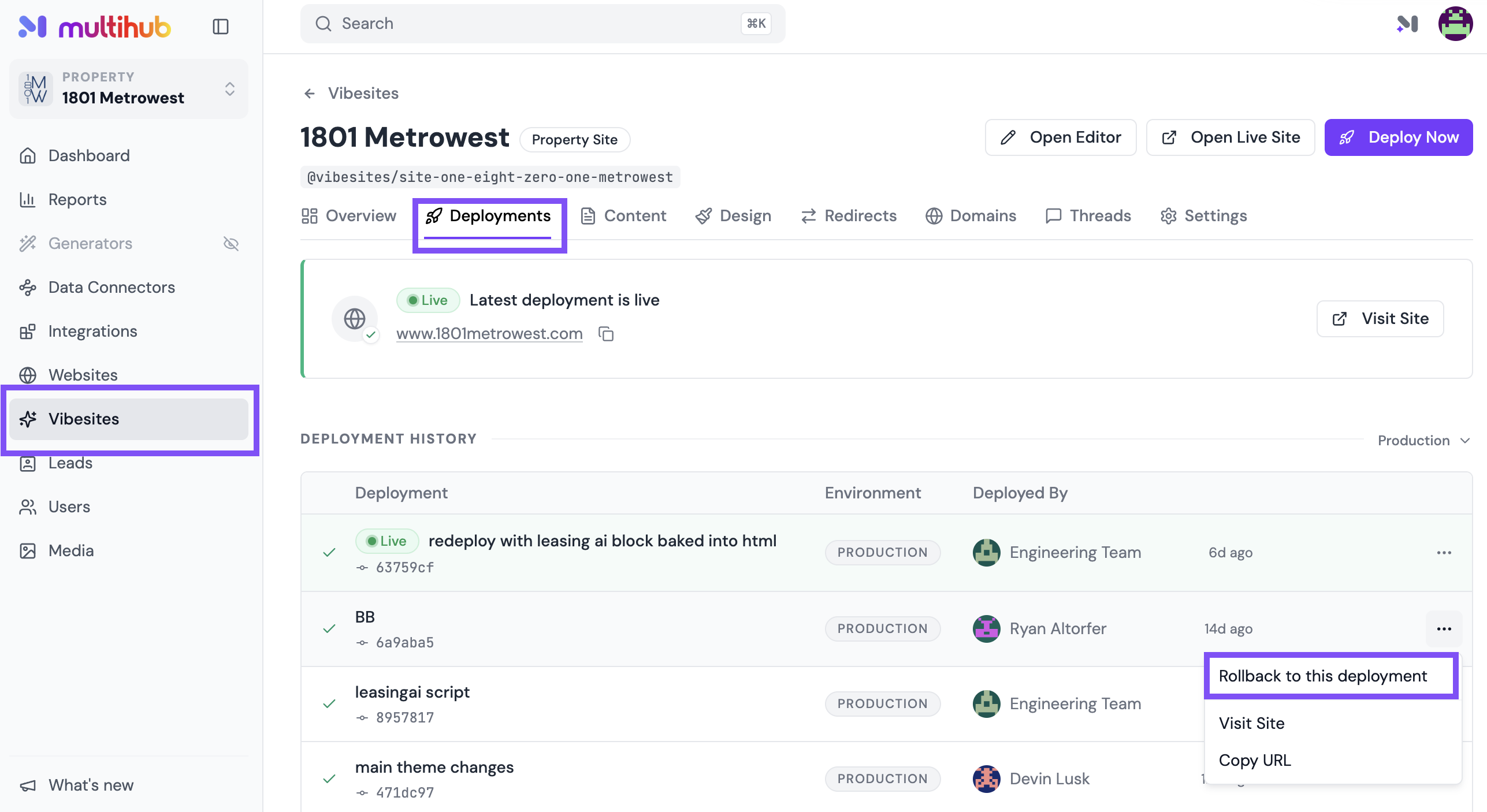
To access Deployments:
In MultiHub, go to your Property → VibeSites → Dashboard → Deployments.
How to Roll Back a Deployment.
- In the Deployment History table, find the version you want to restore. Each record shows the deployment name, who deployed it, and when.
- Click the three dots (...) to the right of that record.
- Select Rollback to this deployment.
- The rollback takes effect immediately — your live site is restored to that version right away.
💡 Changed your mind? Your full deployment history is always preserved. Click the three dots next to any newer deployment and select Rollback to this deployment to move forward again.