.png?width=189&height=28&name=Multihub%20Logo%20Color%20(1).png)
The Media Library is where you upload and store assets for your VibeSite — including branding photos, lifestyle imagery, floor plan visuals, hero videos, and documents like fee transparency policies. Once uploaded, any file becomes immediately available to place on your VibeSite through the editor.
Media can be added or updated at any time, but is most commonly used during onboarding when a site is being built out for the first time.
Can I share media across multiple properties?
-
Media can be added at the company level — MultiHub → Company → Media. This is ideal for shared assets like company logos, stock images, or any media you want displayed across all of your property sites. Anything uploaded there appears automatically in the Company section at the bottom of the Media Library picker inside every property's VibeSites editor — no extra steps needed. For property-specific assets, upload at the property level as described below.
How do I access the Media Library?
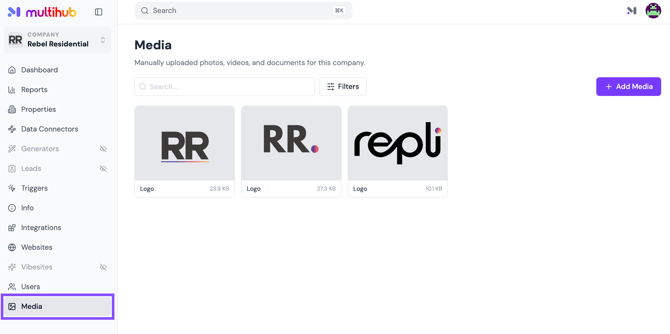
Open MultiHub under your Company or Property view and select the Media tab.
How do I upload media?
-
Click + Add Media in the top right corner.
-
Choose how you want to upload: Computer, URL, Google Drive, Dropbox
-
Select or drag in your file. Accepted file types are images, videos, and documents — up to 200MB per file.
-
Once uploaded, open the file and set its Classification (e.g., Photo, Video, or Document) so it is correctly organized in your library.
- Click Save changes. Your media is now stored in the library and available to use when editing your VibeSite.
What are common use cases for the Media Library?
- Photos not available in your PMS — lifestyle imagery, floor plan visuals, community spaces, and branded visuals
- Hero videos — video files used as background media on your homepage
- Documents — fee transparency files, policies, or other downloadable resources linked from your site
💡 Ready to place your media on your site? In MultiHub, go to your Property → VibeSites and open the editor to add or swap images and videos.