.png?width=189&height=28&name=Multihub%20Logo%20Color%20(1).png)
Repli integrates with Yardi through the RentCafe API, pulling relevant property information into MultiHub and pushing it to your VibeSite. Once your Yardi connection is set up, your PMS becomes the source of truth for a range of website content — update it in Yardi, and it's ready to flow to your site.
What data syncs from Yardi to MultiHub to VibeSites?
- Property contact information
- Unit availability and pricing
- Pet policies and fees
- Photo gallery
- Unit, video, or floorplan virtual tours (if applicable)
- Floor plan details
- Community amenities
- Office hours
How do you grant Repli access to your Yardi account?
Follow the steps below to gather the needed credentials and grant access.
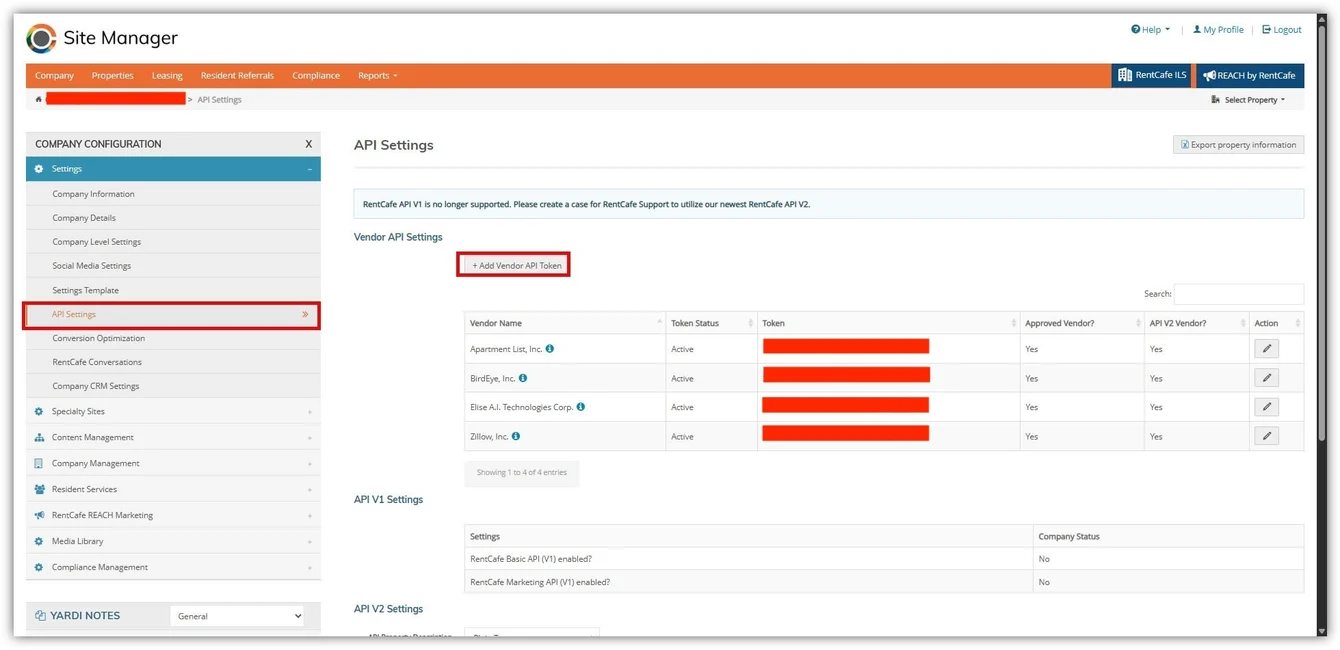
1. Navigate to Site Manager > Company Configuration > Settings > API Settings. Click “+ Add Vendor API Token” and add REPLI, INC as a vendor.
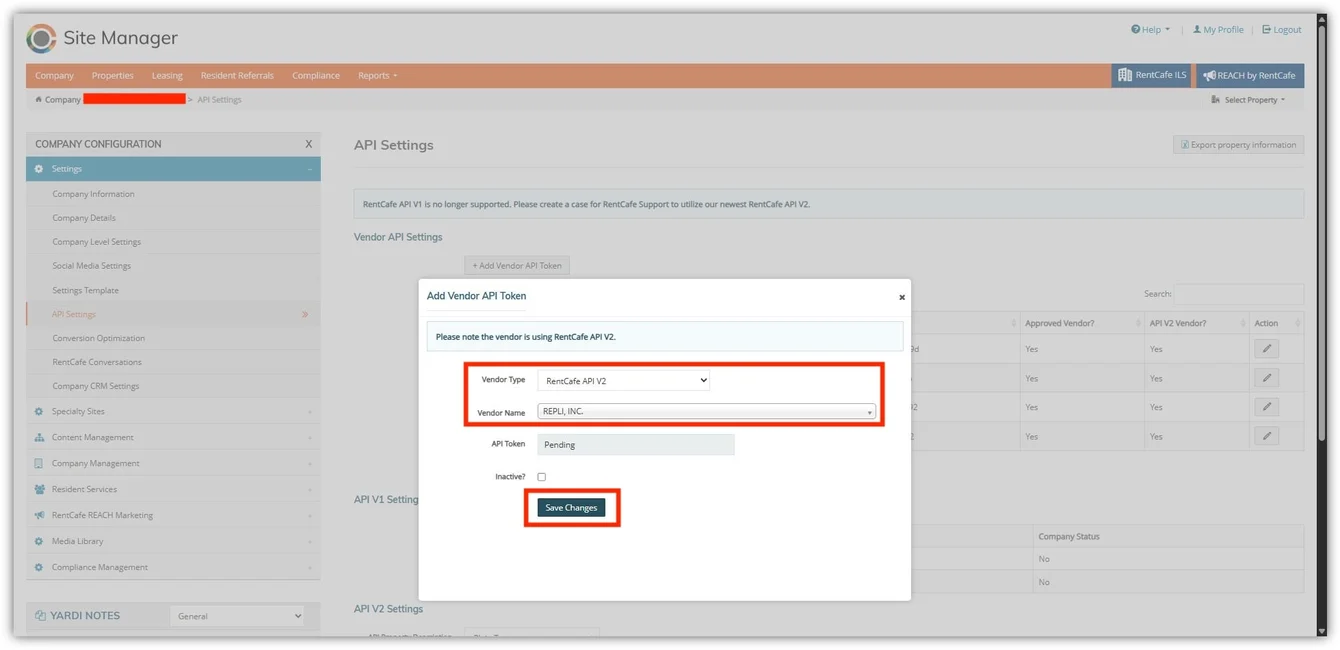
3. Find the Token listed in API Settings after adding REPLI, INC as a vendor.
Property credentials
- PropertyCode (example: p005223)
- PropertyId (example: 20006)
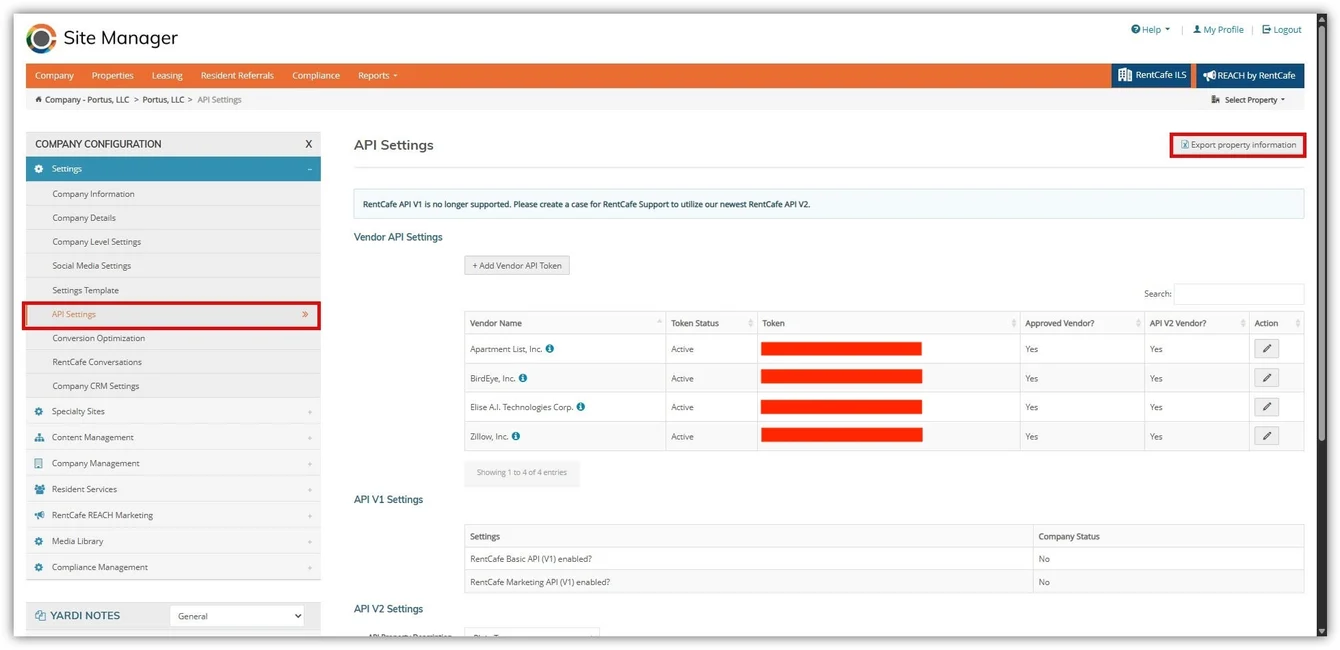
💡 Property Codes/IDs can be pulled from the same API settings page by clicking the “Export Property Information” button. This will give you an excel sheet of all codes for all properties.
How do you keep your PMS data accurate?
Since Yardi is the upstream source for this data, keeping your PMS records current is the most direct way to keep your website accurate — no manual website edits needed for anything on this list, once your integration is fully configured.
To change the data source from Yardi to a custom collection you configure, visit our resources on 📖 Managing Collections.