.png?width=189&height=28&name=Multihub%20Logo%20Color%20(1).png)
Repli integrates with Entrata's API, pulling relevant property information into MultiHub and pushing it to your VibeSite. Once your Entrata connection is set up, your PMS becomes the source of truth for a range of website content — update it in Entrata, and it's ready to flow to your site.
What data syncs from Entrata > MultiHub > VibeSites:
- Unit availability and pricing
- Pet policies and fees
- Special offers
- Photo gallery
- Floor plan details
- Community amenities
- Office hours
API credentials & granting access.
1. In Entrata: Go to Apps > API Access > + Add API User

2. Search for Repli and Enable Access.
3. Set the permissions and put in credentials to add your properties. The default permissions given are what we will need.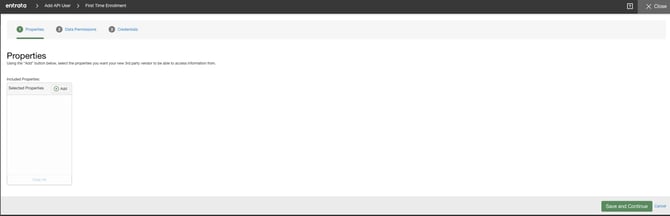
4. Provide Repli your Company Subdomain so we can associate your company with our system. Example: https://companyname.entrata.com/
Below are the Permissions that we will be using.
- Leads: getLeadEvents, getLeadPickLists, getLeads, getMitsLeads, getQuotes, sendLeads, updateLeads
- Leases: getExpiringLeases, getLeaseDetails, getLeasePickList, getLeases, getMitsLeases
- Pricing: getPricingPicklists, getPropertyFees
- Properties: getAmenityReservations, getCalendarAvailability, getFloorPlans, getPetTypes, getProperties, getPropertyAnnouncements, getPropertyAddOns, getPropertyPickLists, getRentableItems, getReservableAmenities, getWebsites
- Property Units: getAmenities, getMitsPropertyUnits, getPropertyUnits, getSpecials, getUnitsAvailabilityAndPricing, getUnitTypes
Keeping your PMS data accurate.
Since Entrata is the upstream source for this data, keeping your PMS records current is the most direct way to keep your website accurate — no manual website edits needed for anything on this list, once your integration is fully configured.
To change the data source from Entrata to a custom collection you configure, visit our resources on 📖 Managing Collections.