.png?width=189&height=28&name=Multihub%20Logo%20Color%20(1).png)
Your VibeSite can showcase resident reviews to build trust with prospective residents. The reviews displayed there are controlled through the Reviews Collection in your MultiHub Property Dashboard.
How do you access the Reviews Collection in MultiHub?
In MultiHub, go to your Property → Dashboard, find the Reviews section, and click Edit.
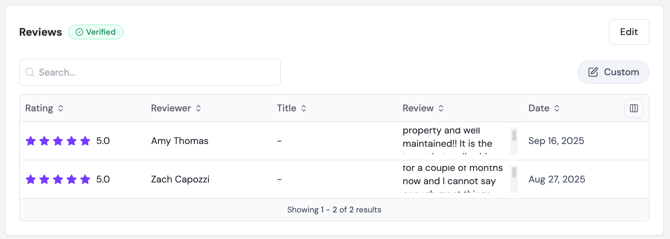
What data sources are available for reviews?
Use the source dropdown to filter by origin. Available sources depend on which platforms your property has connected, and may include Google Business Profile (formerly Google Places) or a Custom source you create.
How do you curate reviews in your Custom collection?
Your Custom collection is where you choose which reviews actually appear on your site. Use this collection to curate and display only the reviews that best represent your property, rather than showing everything imported automatically.
- Select Custom from the source dropdown.
- Import an existing review — select a review already sourced from Google Places and import it into your custom collection:
- Select the review you want to import from the Google Places list.
- Click Import to add it to your Custom collection.
- Add a new review manually — click Add Review, then enter:
- Reviewer Name
- Rating (0–5)
- Review Title (optional)
- Review Date
- Review Text
- Click Add Review to save.
How do you edit or remove a review from a Custom collection?
- Click the three dots (...) to the right of any review in the list.
- Select Edit to update its details, or Delete to remove it.
Pushing changes live.
After saving, publish your site changes to make them live. See How to Deploy Site Changes for instructions.